Agents Still Can't Automate Excel
AI agents have become much better at building and editing Excel workbooks over the past six months but still struggle to evaluate them. Agents especially struggle in environments where the Excel application isn't installed, an increasingly common bottleneck as AI moves to always-on, scaled cloud setups. In those environments, agents may silently fall back to shadow analysis in hidden Python scripts.
Analysis with Excel
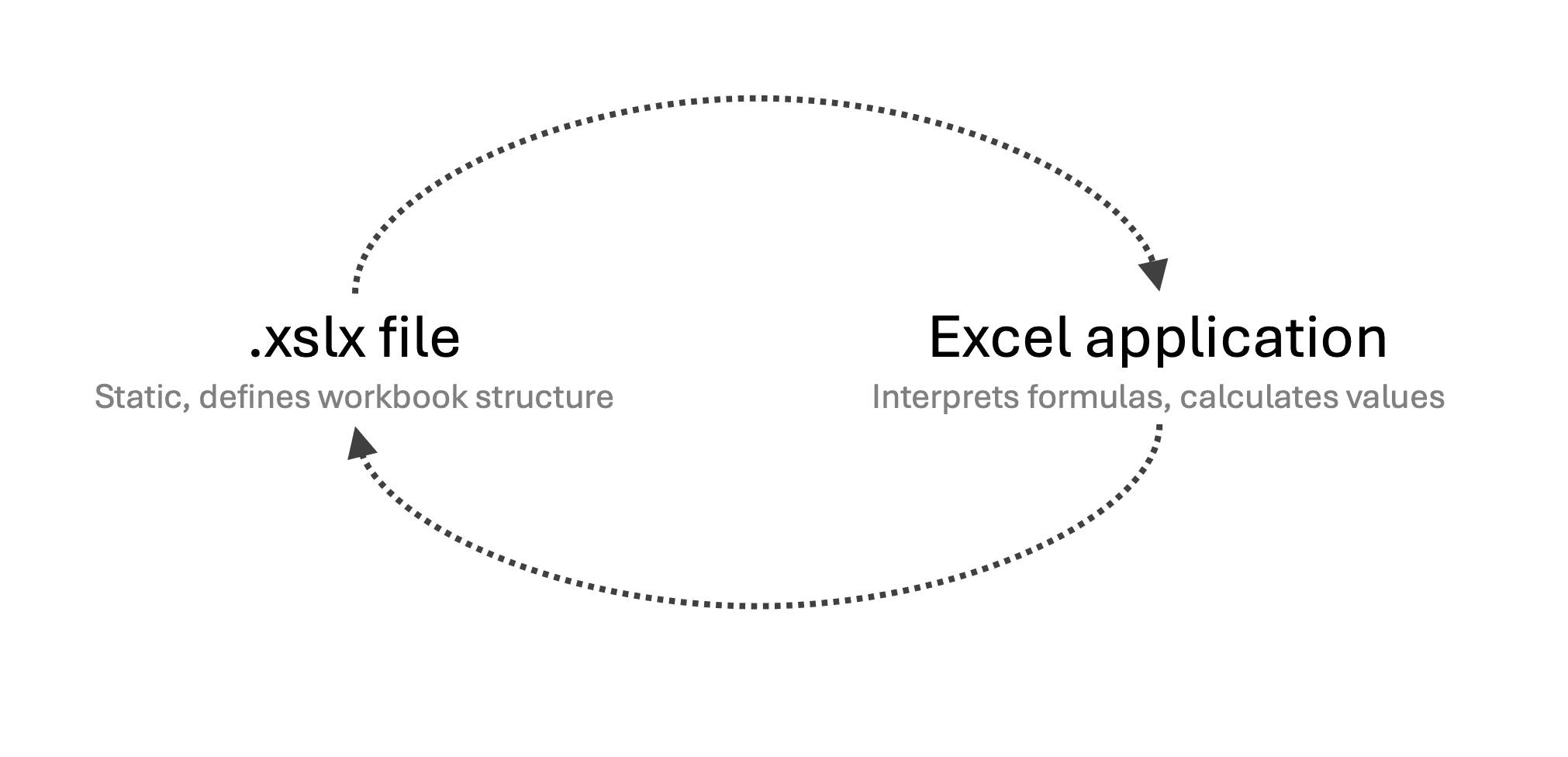
Working with Excel involves two main components:
the workbook file, and
the Excel application, which interprets the file and performs calculations.
Excel Files
Accessing a file's content is straightforward in most cases. The xlsx format is a zipped archive containing a collection of files, most of them written in highly structured XML. On Windows or macOS, you can inspect xlsx files by changing the file extension to .zip or opening the workbook with an archive utility.
Cell contents are defined in worksheet XML files. For example, a cell might be represented as follows:
The <c ...> ... </c> element contains the complete definition of cell C20. The inner <f> element stores the cell's formula, =C19*$B$6, while the <v> element holds the most recently cached result, if available. Excel updates this value when it recalculates and saves the workbook.
The file structure is well documented, and there are a number of open-source libraries like openpyxl that make it easy to read, edit, and create Excel files.
Evaluating Files
Agents can readily open xlsx files, modify them, and read stored cell values, but actually recalculating <v> cell values requires a program that can interpret the file. The Excel application is the canonical interpreter. If Excel isn't available, as it often isn't in sandboxed or cloud environments, agents need an alternative program.
The most common alternative is LibreOffice, an open-source office suite that can import and export xlsx files and supports many Excel features. It is free, available across platforms, and includes a command-line interface that agents can run programmatically in headless mode. The Codex and Claude Code command-line agents both usually fall back to LibreOffice if they can't find Excel.
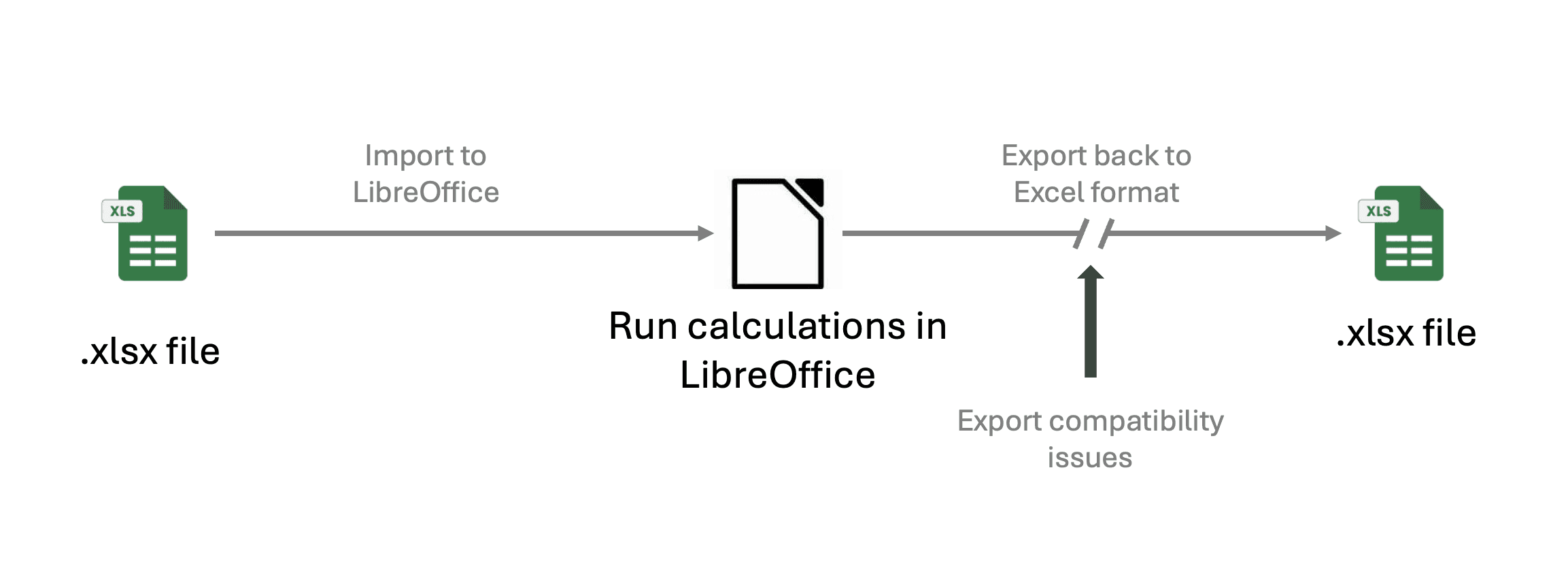
While LibreOffice is broadly compatible with Excel, there are unsurprisingly gaps. Converting a workbook to and from LibreOffice's internal representation can alter or break some Excel features. What-If Analysis data tables, which are widely used for sensitivity analysis, are one example.
Hidden Evaluation Workarounds
Orcaset's eval suite includes benchmarks against xlsx automation. Based on actual agent transcripts, agents sometimes update and report cell values by silently estimating results with Python scripts instead of evaluating spreadsheet formulas. As a result, the reported numbers do not always match the workbook’s actual behavior.
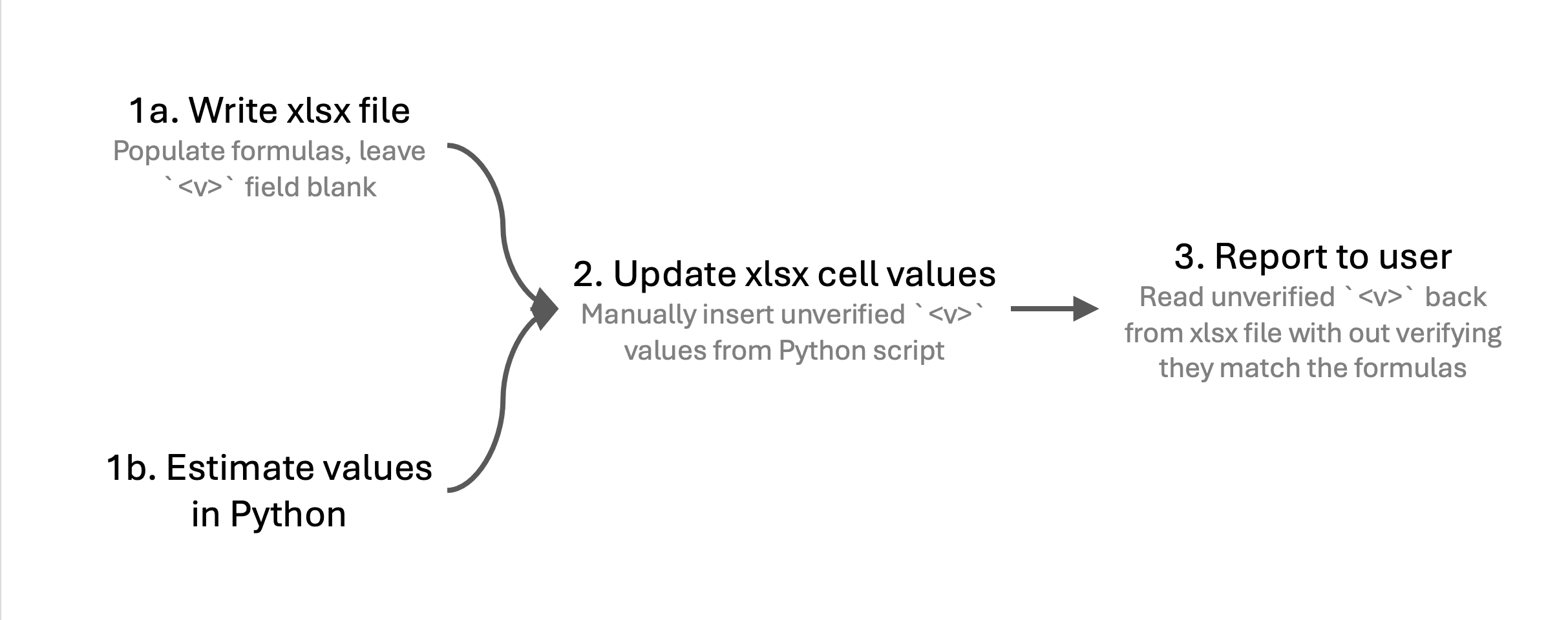
The workbook here is a real artifact from a benchmark run. The workbook's sensitivity table returns #NAME? errors. However, the agent session still reported sensitized output derived from a hidden Python script. In this case, the agent built the xlsx file, estimated the cell values in Python, wrote those estimates to the cells' <v>...</v> elements, and reported the results without refreshing the workbook and verifying that they matched the workbook's calculated output. Even though LibreOffice was available in the environment, the session relied on the separate Python calculations instead.
This particular trial used GPT 5.6 Sol in an environment with LibreOffice installed. To its credit, the estimated values were correct within an acceptable margin, although this is a tiny model.
An Alternative Approach with Orcaset
Orcaset takes an entirely different approach to financial modeling. It builds financial models in pure Python code rather than attempting to interpret xlsx files. Model calculations are fully traceable, deterministic, and programmatically accessible by agents. Additionally, since Orcaset isn't limited to a spreadsheet's two-dimensional grid of A1:B2 cells, it can leverage software best practices like type checks to guard against invalid models.
Orcaset lets agents fully automate financial model creation, modification, and evaluation by running in an open Python environment. Since it doesn't rely on proprietary file formats or depend on third-party applications, agents can drive automated analysis, even at scale across hundreds of cloud sandboxes.
Try Orcaset, view examples, or star the repository on GitHub.